


Better file management
Better file management
October 06, 2022
Piotrek
After a holiday break we're ready with some more UI updates in LemonInk. First up, already live for a few weeks, are some updates to our file management system.
Over the last few years, our document page (a.k.a. what you see when you click on a file in "Your files") got from being very simple to quite complicated. Originally we even had no support for multiple document formats — just one file = one document. You could click on a document and we'd show you it's ID and that would be it...
Support for multiple formats was the first expansion on that. Then we added the ability to rename documents and a link to watermark the document via the webapp. When we launched our Shopify app we squeezed product-document pairing in there. And most recently there came watermarking templates and downloads settings. Things got messy.
To tidy them up, we've redesigned the document page. We've surfaced all the options and configurations to this one screen, separated them into sections and sprinkled some auto-save magic on top of it. Here are some details:
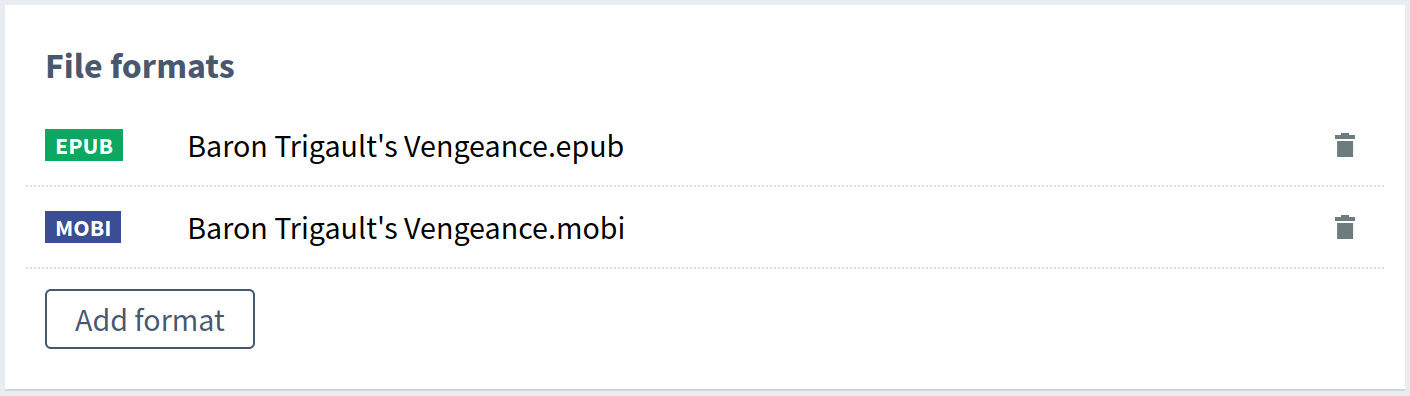
File/format management
This part stays mostly unchanged, just some minor tweaks and adjustments. BTW we're getting ready to update this part as well, when we start showing results of the validations we run on each file you upload. So stay tuned for that. Here's how it looks now:
Watermarking templates
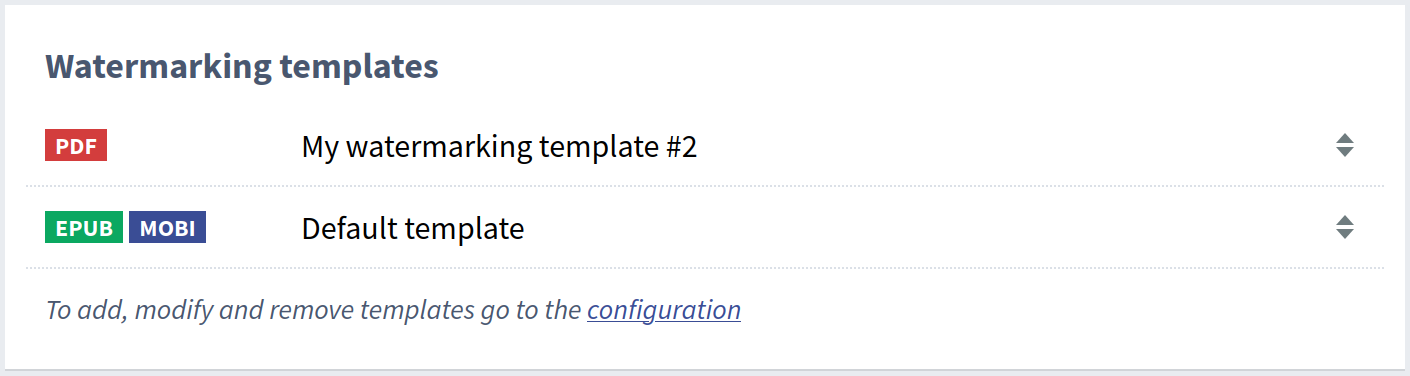
Like most other document settings, we've taken this out from a separate "edit" view we used to have and put this straight on the document page. Thanks to that you can now quickly see the current template settings for a document and make any changes in-place. And they'll be automatically saved. You'll also see any changes here update automatically when you add or remove formats.
Shopify product assignment
Those of our customers who use Shopify, struggled with managing document-product pairing, especially with easily seeing the current setting. Now, as this setting also got extracted from the old "edit" view, everything's visible at a glance. Plus in-place updates and auto saving of course.

Time limits
You can now also easily see and configure per-document time limit settings. Either leave it to the default value configured for your account or change locally, we'll make sure that you can easily see how a document is configured.

Coming soon...
Next up are some quality of life updates, to increase the self-service area, reduce the need for our support and increase your satisfaction :) You'll see!